Stock availability Label
Stock Availability Label
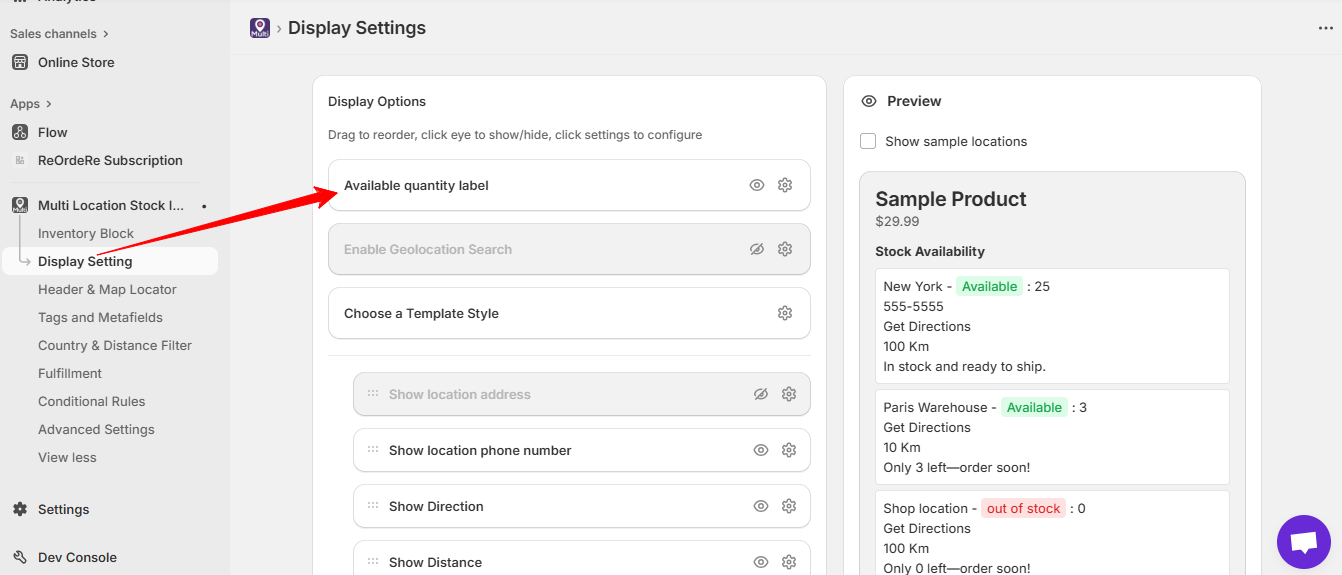 This is the main heading displayed at the top of the multi-location availability block on your product page. It's the first item in the Display Options list — labeled Available quantity label — in Display Setting. Click its gear icon to configure the text.
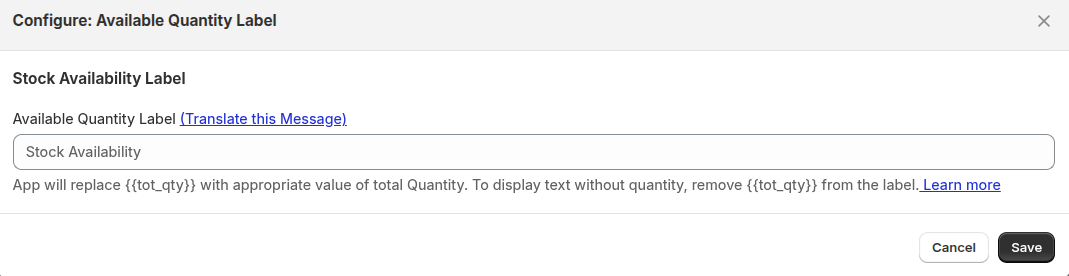 You can customize this label to match your store's tone or language. Use the token
 {{tot_qty}} in the label to insert the total available quantity across all locations — the app replaces it automatically. To display text without a quantity, simply remove {{tot_qty}} from the label.
Example:
- "Check Availability by Location"
- "
{{tot_qty}}in stock across our stores" - "Available In-Store & Online"
| For inquiries, support, or assistance, feel free to reach out to us at: 📧 Email: [email protected]