Show Maximum Number of Locations
The Show Maximum Number of Locations feature allows you to control how many locations are displayed in a widget or on a page. This setting is useful for businesses with many locations, as it lets you limit the number of locations shown to customers, preventing the list from becoming overwhelming or cluttered.
This setting lets you specify the maximum number of locations that will appear in the location widget or list on the frontend of your site, keeping the display clean and user-friendly.
This setting is available on Plus plans and above.
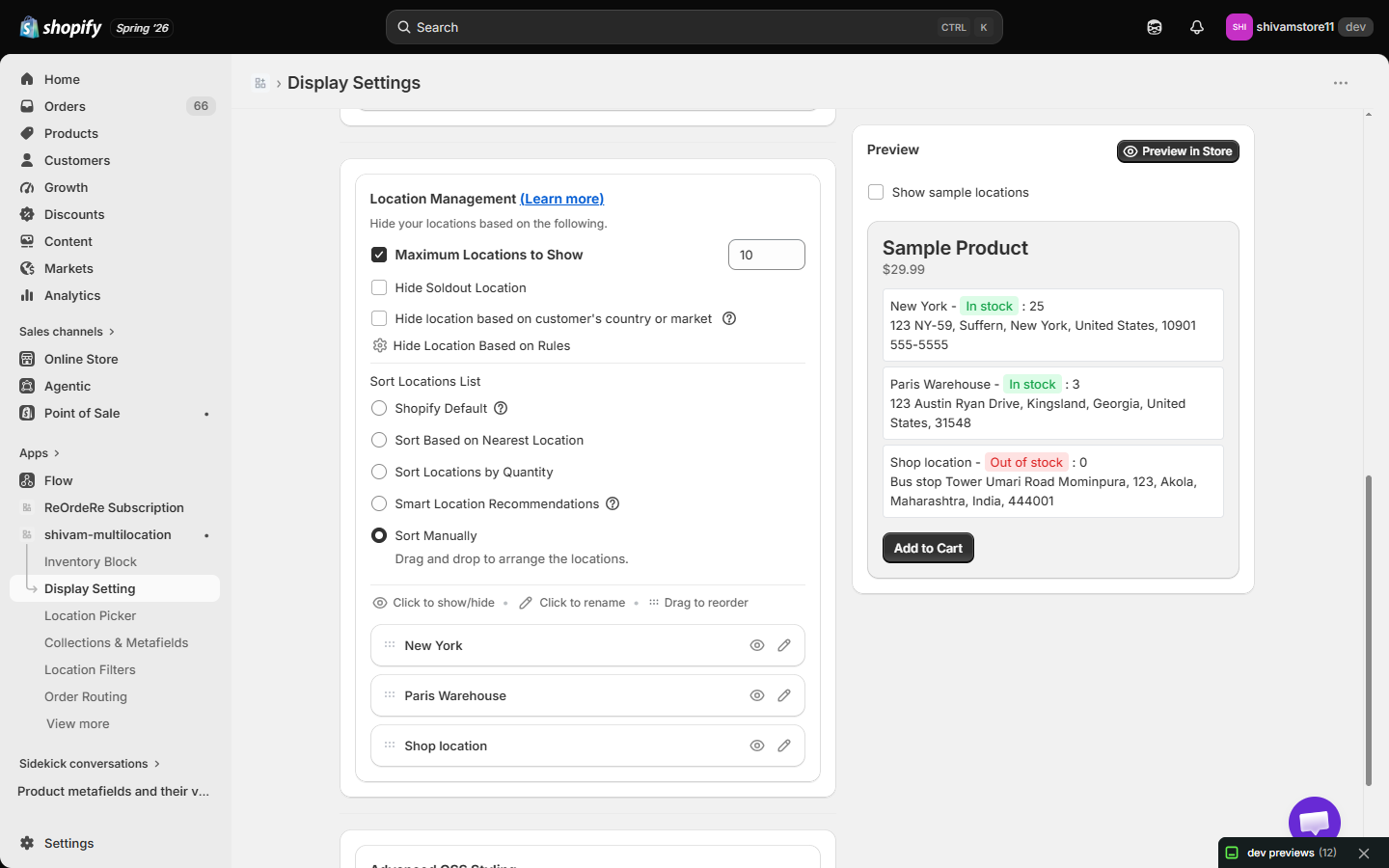 How It Works:
- Limit the Displayed Locations: You can set a maximum number of locations that will be shown in the location widget or list. For example, if you have 50 locations but only want to show the first 10, this setting will ensure that only 10 locations are visible.
- Maintain Performance: By limiting the number of locations shown initially, the page loading time will improve, especially if you have a large number of locations, thus providing a better user experience.
How to Set the Maximum Number of Locations:
- Go to Display Setting → Location Management.
- Check "Maximum Locations to Show" and enter a number between 1 and 999 in the field next to it.
Example:
- If you enter 10, only the top 10 locations will be shown on the storefront.
- Save Changes: After setting your preferred number, save the changes, and check how it looks on the frontend of your store. You can always adjust the number if needed.
Example:
Let’s say your business has 50 locations worldwide. You want to display only the top 10 locations in your location widget:
- Set Maximum Number of Locations to 10.
- The first 10 locations will appear in the widget.
- Customers will see a "See More" button to view the remaining 40 locations if they choose to.
The Show Maximum Number of Locations feature helps you manage how many locations are displayed on your storefront, ensuring that your location list stays organized and user-friendly. Whether you want to limit the visible locations for better performance or simplify the user experience, this feature offers a flexible solution for businesses with multiple locations.
| For inquiries, support, or assistance, feel free to reach out to us at: 📧 Email: [email protected]