Conditional Rules
note
This is a Premium-plan feature. Go to Multi-Location Stock Info → Conditional Rules in the app.
Conditional Rules is a shared rule-builder engine used across the app to control location and widget behavior based on the shopper, cart, product, or location. It replaces several older, more limited rule mechanisms and now powers four rule types, plus an overview tab:
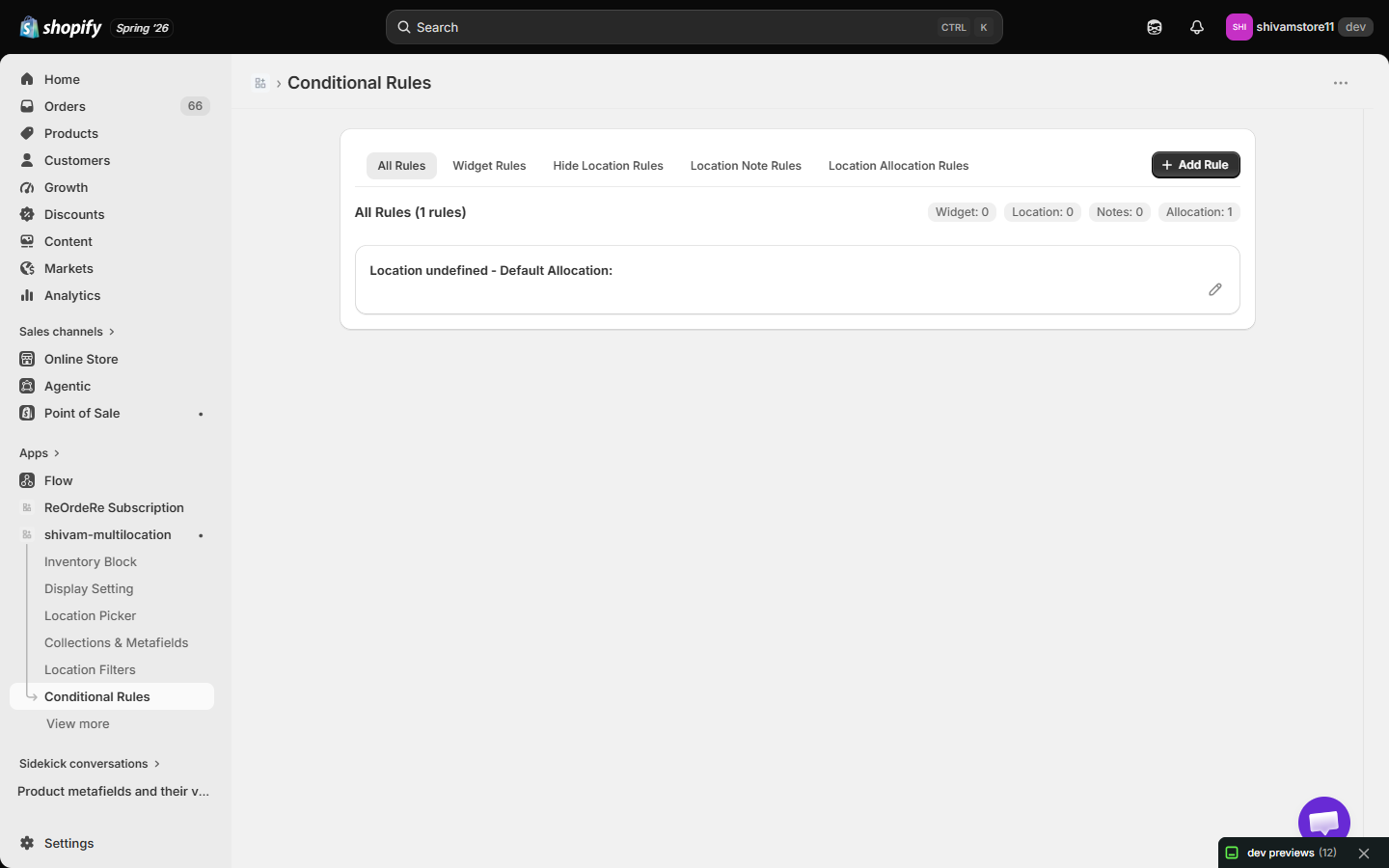
- All Rules — a combined, read-only overview of every rule you've created across all rule types, with counts per type.
- Widget Rules — controls when the Product Page Inventory Block is shown.
- Hide Location Rules — controls when a specific location is hidden.
- Location Note Rules — shows conditional notes for a location.
- Location Allocation Rules — controls how inventory is allocated across locations.
Click + Add Rule to pick a rule type and start building:
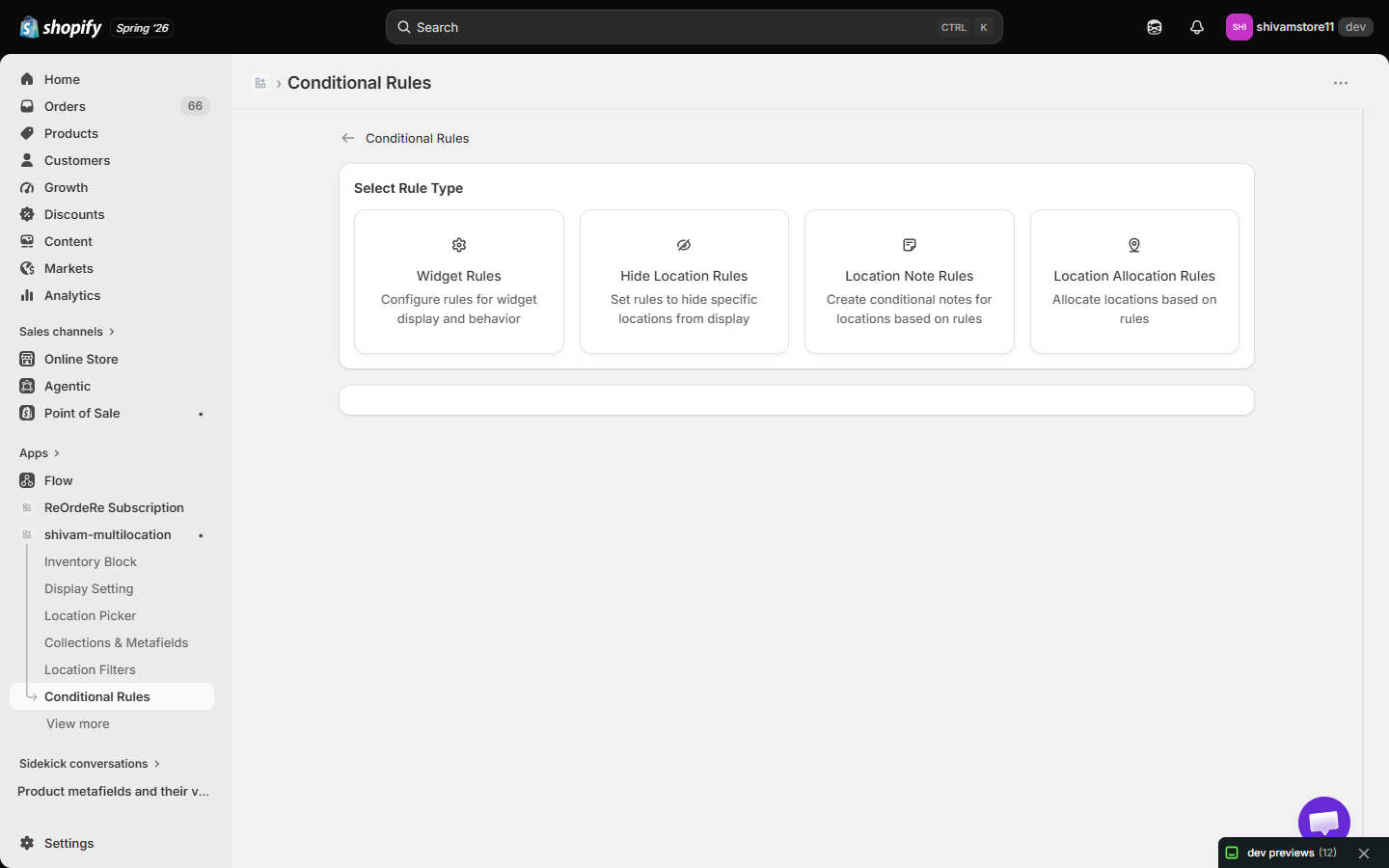
How rules are built
Every rule type uses the same building blocks:
- Condition row — pick a Type (see the full list in Condition Types Reference), an operator (the available operators depend on the type — e.g. Includes/Excludes, equals, not equals, contains, not contains, within, outside), and a value.
- + And — adds another condition to the current group. All conditions within a group must match (AND logic).
- + OR — starts a new condition group below the current one. The rule matches if any group matches (OR logic between groups).
- Duplicate values within the same AND group are rejected with a warning toast.
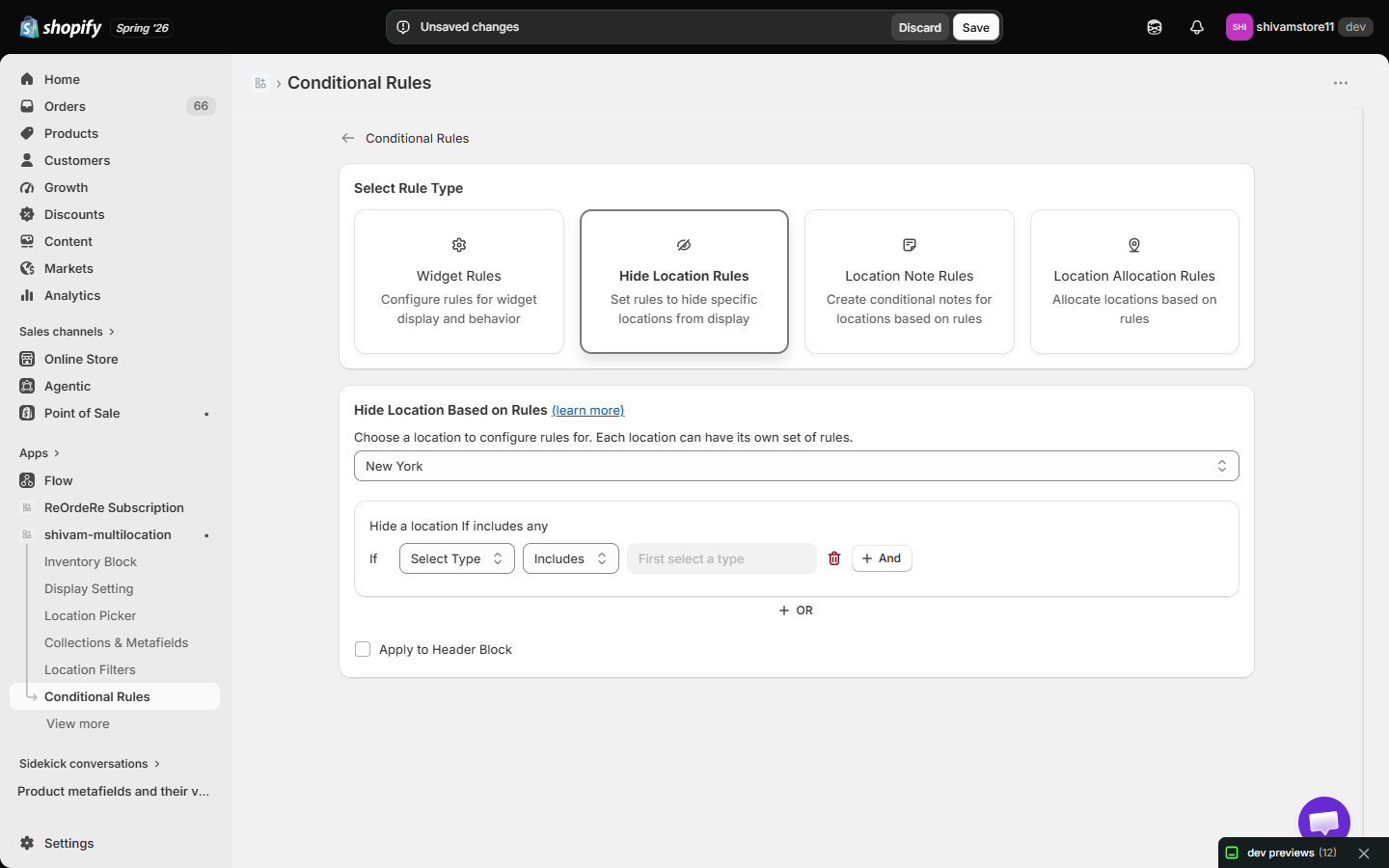
Rules are edited at Conditional Rules → [rule type] → choose what the rule applies to (a location, for example) → build your condition groups → Save.
| For inquiries, support, or assistance, feel free to reach out to us at: 📧 Email: [email protected]