Display Location Details in Header
Go to Location Picker → Header Block tab and scroll to Display Location Details Header.
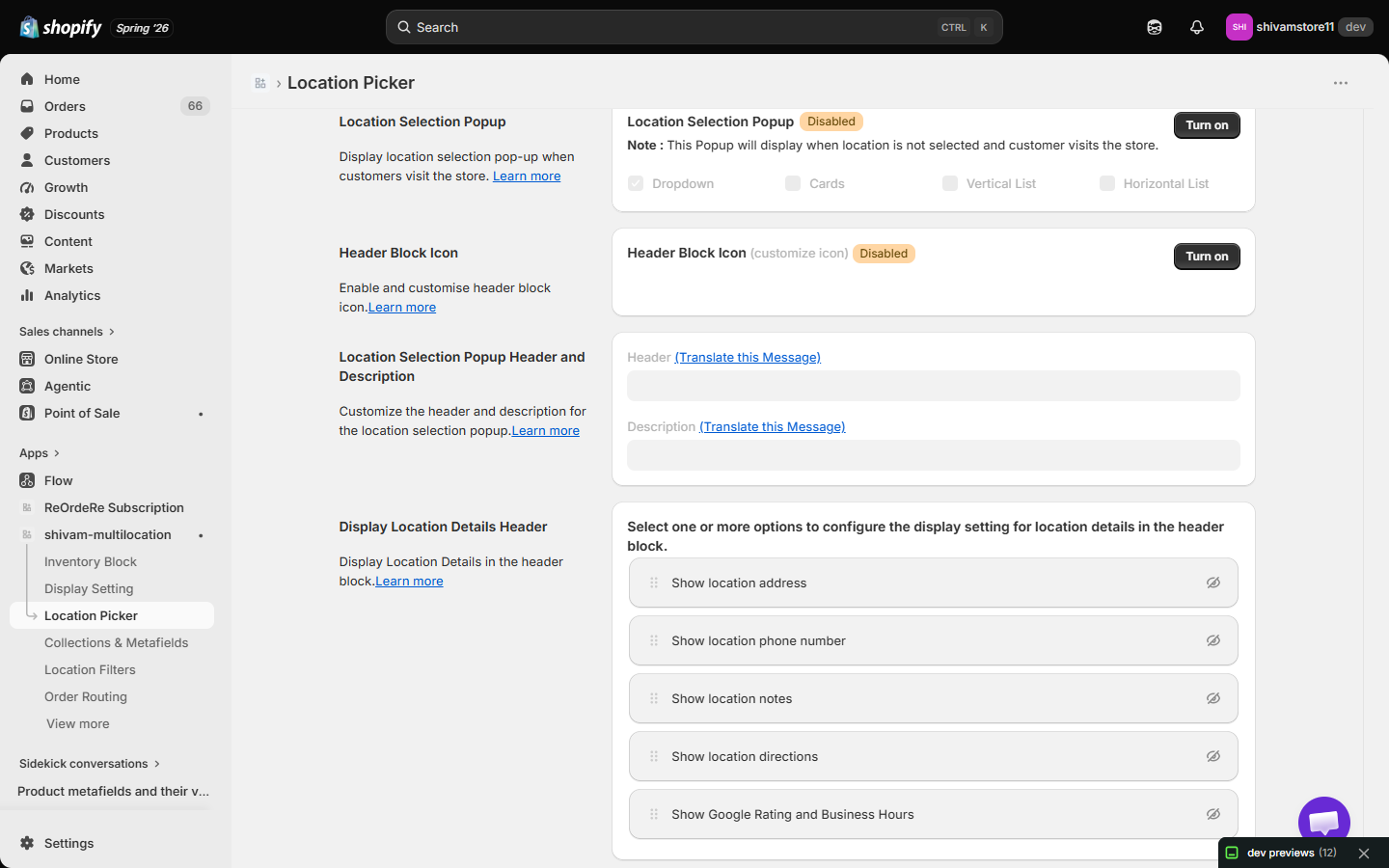
Here, you define what information is shown about the selected location directly in the header. Click the eye icon on one or more of the following to enable it:
Show Location Address Displays the full address of the selected location. Helps users quickly confirm they've selected the right place.
Show Location Phone Number Displays the contact number. Useful for users who may want to call the location directly
Show Location Notes Displays any custom notes (e.g., "Pickup at rear entrance"). Good for including extra location-specific instructions or details
Show Location Directions Provides a button or link to get directions (often using a map or navigation app). Enhances user convenience by offering a direct route to the location.
Show Google Rating and Business Hours Displays the location's Google rating and business hours, using the same data configured under Show Google Rating and Business Hours in Display Setting.
| For inquiries, support, or assistance, feel free to reach out to us at: 📧 Email: [email protected]