Country and Location Detection
note
This page is in the app under Multi-Location Stock Info → Location Filters (the in-app page title). It's Premium-plan gated.
The Country and Location Detection feature lets the app identify a customer's country or precise location, to power the filtering options on Country and Distance Filter and the country/market hide option in Display Setting.
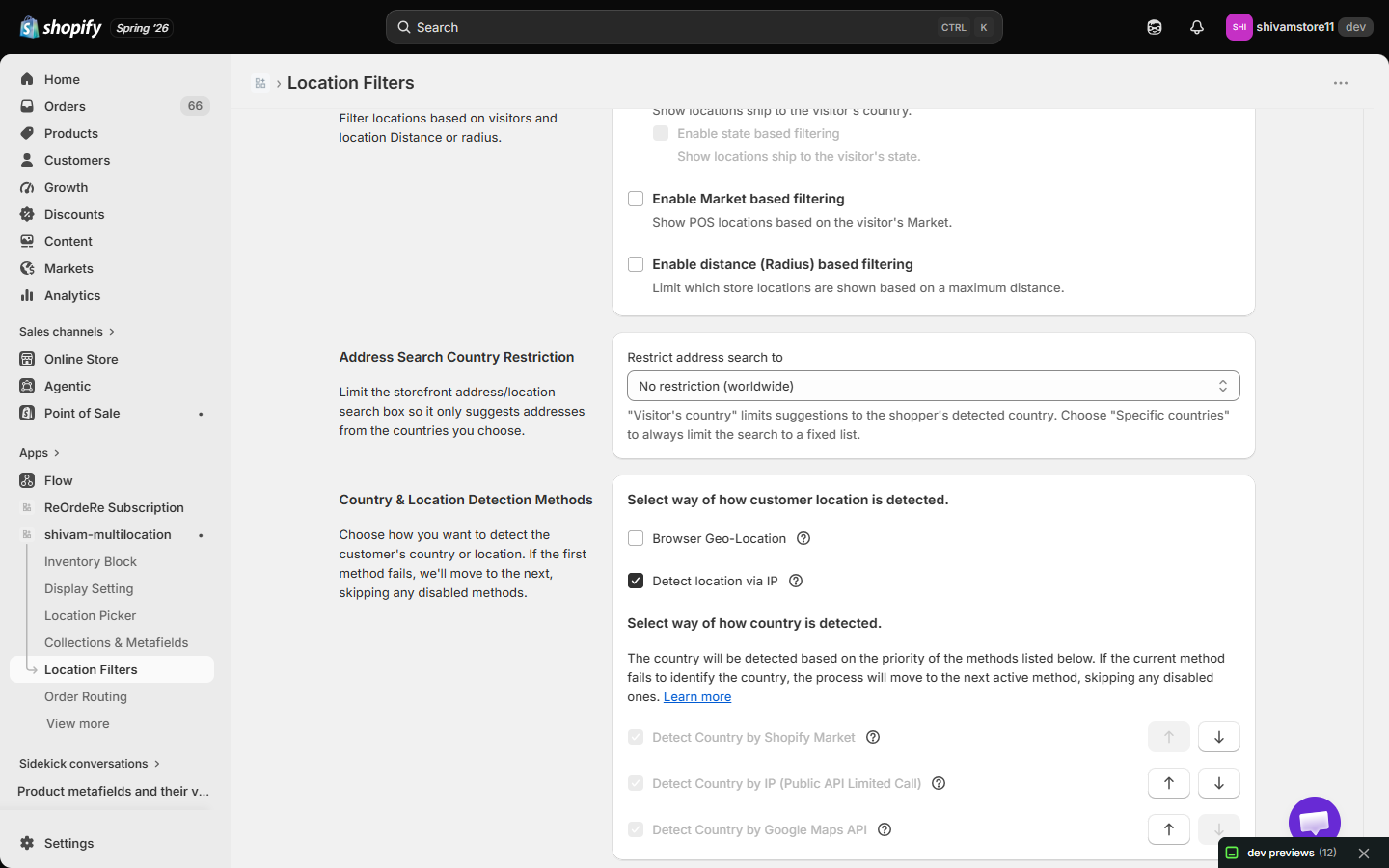
1. Select way of how customer location is detected
- Browser Geo-Location — uses browser permissions to get the customer's precise coordinates. Requires the customer to grant location access.
- Detect location via IP — approximates location from the customer's IP address. Useful when browser permission is denied or unavailable.
2. Select way of how country is detected
Three methods, listed in priority order:
- Detect Country by Shopify Market — customers can select their own country/market.
- Detect Country by IP (Public API, limited calls) — accurate country-level estimation.
- Detect Country by Google Maps API — uses the browser location for city-level accuracy.
Each method has an up/down arrow to reorder its priority, and a checkbox to enable/disable it. If the current method fails to identify the country, the app moves to the next active method, skipping any disabled ones.
| For inquiries, support, or assistance, feel free to reach out to us at: 📧 Email: [email protected]