Out of Stock Items Management on Collections
Go to Multi-Location Stock Info → Collections & Metafields. This section is Premium-plan gated and controls how out-of-stock items behave on collection pages once a customer has selected a location.
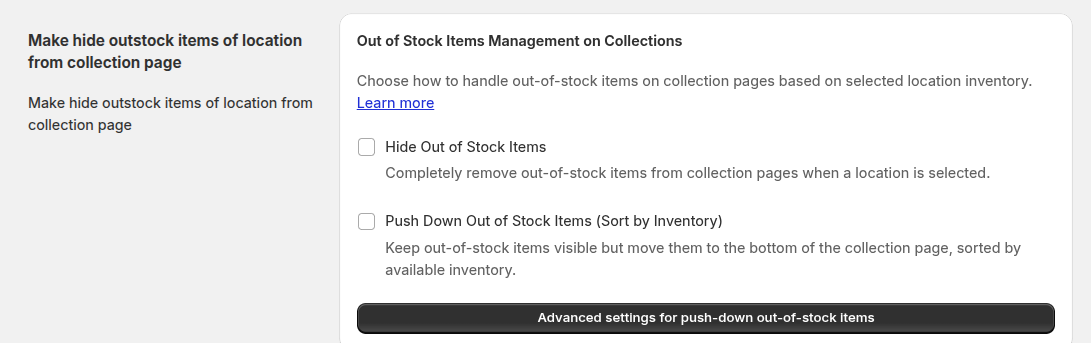
There are three options — the first two are mutually exclusive (selecting one clears the other):
Disable Add to Cart for Out of Stock Items
Keeps out-of-stock items visible in the collection, but disables the Add to Cart button once a location is selected.
Hide Out of Stock Items
Completely removes out-of-stock products from the collection page once a location is selected.
Push Down Out of Stock Items (Sort by Inventory)
Keeps out-of-stock products visible, but moves them to the bottom, sorted by inventory. Your collection must use Shopify's Manual sort order for this to work.
Advanced Push-Down Settings
Enabling push-down reveals a scheduler for running the re-sort automatically:
- Frequency — Day, Week, Month, or Year, with matching sub-options (weekday picker, date-of-month picker, or month + date picker) and a time picker.
- Collections — a table (Title / ID / Products / Sort Order) to choose exactly which collections get pushed down.
- Next schedule — shows the next scheduled run time, with a Cancel schedule option.
- Recent runs — a job history table (Started / Status / Duration / Info) so you can confirm the push-down job actually ran.
| For inquiries, support, or assistance, feel free to reach out to us at: 📧 Email: [email protected]